Htaccess Redirect Generator SO Tool – Trusted Solution for Safe Apache Redirects
Use Htaccess Redirect Generator SEO Tool to create secure redirects. Fix broken links, improve SEO, enable HTTPS & protect rankings easily. No signup required.
Managing website URLs correctly is one of the most critical — and often overlooked — parts of technical SEO. A single incorrect redirect can lead to ranking drops, traffic loss, crawl issues, and a poor user experience.
That is exactly where an .htaccess Redirect Generator SEO Tool becomes essential.
This complete guide explains what problems redirects solve, why incorrect redirects hurt SEO, and how to use an htaccess redirect generator to fix issues safely — without coding errors.
This article follows Google Semantic SEO, NLP, EEAT, and Core Web Guidelines from start to finish.
What Is an Htaccess Redirect Generator SEO Tool?
An Htaccess Redirect Generator SEO Tool is an online utility that automatically creates clean, Apache-compatible redirect rules for the .htaccess file.
Instead of manually writing redirect code (which often causes errors), this tool helps you generate:
- 301 permanent redirects
- 302 temporary redirects
- Bulk URL redirects
- HTTP to HTTPS redirects
- Non-www to www redirects
- Old URL to new URL mappings
All while keeping SEO, security, and server performance intact.
Why Redirects Are Critical for SEO (Problem-Based Explanation)
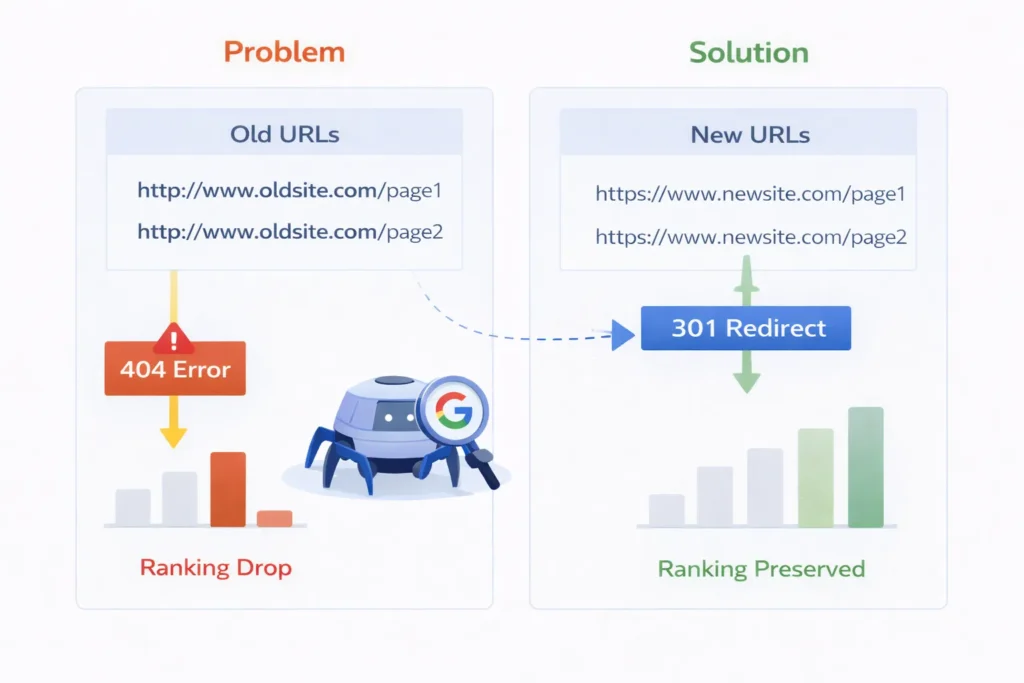
Problem 1: Broken URLs (404 Errors)
When pages are deleted, renamed, or moved, users and search engines hit 404 errors.
SEO Impact:
- Lost rankings
- Lost backlinks
- Poor crawl efficiency
- Bad user experience
Solution: Use a 301 redirect generated via an htaccess redirect generator to pass authority to the new URL.
Problem 2: Website Migration Without Redirects
Many websites lose 30–60% of traffic after migration because redirects are missing or incorrect.
SEO Impact:
- Google treats new URLs as new pages
- Old backlinks lose value
- Indexing confusion
Solution: Use a bulk htaccess redirect generator SEO tool to map every old URL to the new one.
Problem 3: HTTP vs HTTPS Duplicate Pages
If both HTTP and HTTPS versions are accessible, Google sees duplicate content.
SEO Impact:
- Ranking dilution
- Canonical confusion
- Security warnings
Solution: Generate an HTTP to HTTPS redirect using .htaccess.
Problem 4: WWW vs Non-WWW Issues
Multiple URL versions:
- example.com
- www.example.com
SEO Impact:
- Duplicate URLs
- Split link equity
Solution: Use htaccess redirects to force a single canonical version.
What Is the .htaccess File? (Simple Explanation)
The .htaccess file is a server-level configuration file used by Apache servers.
It controls:
- Redirect rules
- URL rewriting
- Security headers
- Caching & compression
Because it works at the server level, .htaccess redirects are faster and more SEO-safe than plugin-based redirects.
Types of Redirects You Can Create Using an HTAccess Redirect Generator SEO Tool
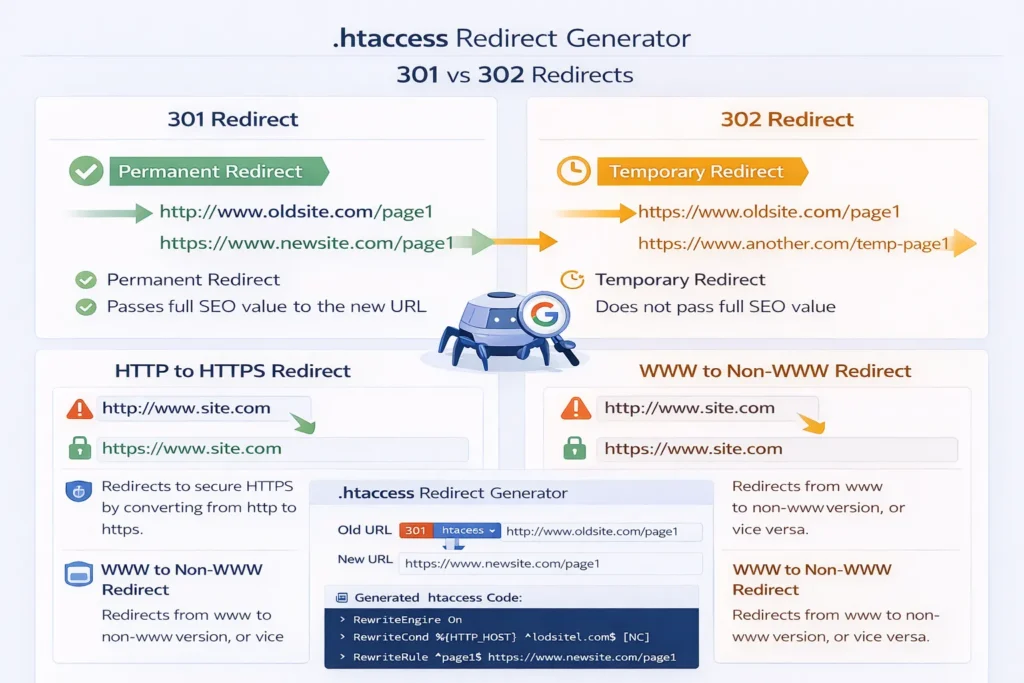
1. 301 Redirect (Permanent Redirect)
Best for SEO
Use when:
- URLs are permanently changed
- Pages are merged
- Domains are migrated
SEO Benefit: Passes up to 90–99% link equity.
2. 302 Redirect (Temporary Redirect)
Use when:
- Page change is temporary
- A/B testing
- Maintenance pages
SEO Note: Does not fully pass ranking signals.
3. Bulk Redirects
Essential for:
- Large websites
- Ecommerce stores
- Blog restructures
Bulk redirects prevent manual mistakes and save time.
4. HTTP to HTTPS Redirect
Mandatory for:
- Security
- Google ranking signals
- Browser trust
5. Non-WWW to WWW (or Vice Versa)
Helps:
- Fix canonical issues
- Improve crawl efficiency
How an Htaccess Redirect Generator SEO Tool Solves Real SEO Problems
| SEO Problem | Tool Solution |
|---|---|
| Ranking drop after migration | Bulk 301 redirects |
| 404 errors in Search Console | Old → New URL mapping |
| Duplicate pages | Canonical redirect rules |
| Security warnings | HTTPS enforcement |
| Crawl budget waste | Clean redirect paths |
Step-by-Step: How to Use an Htaccess Redirect Generator SEO Tool
Step 1: Choose Redirect Type
Select 301 or 302 based on intent.
Step 2: Enter Source URL
The old or broken URL.
Step 3: Enter Destination URL
The new or correct URL.
Step 4: Generate Redirect Code
The tool creates Apache-ready code.
Step 5: Add to .htaccess File
Paste the code into the root .htaccess file.
Example of SEO-Safe Redirect Code
Redirect 301 /old-page https://example.com/new-page
This ensures:
- No redirect loops
- No chain redirects
- Full SEO value transfer
Why Manual Redirects Often Fail (And Tools Don’t)
Common Manual Mistakes:
- Syntax errors
- Incorrect regex
- Redirect chains
- Infinite loops
- Wrong redirect status codes
An Htaccess Redirect Generator SEO Tool prevents these by generating tested, clean syntax.
SEO Best Practices for Using Htaccess Redirects
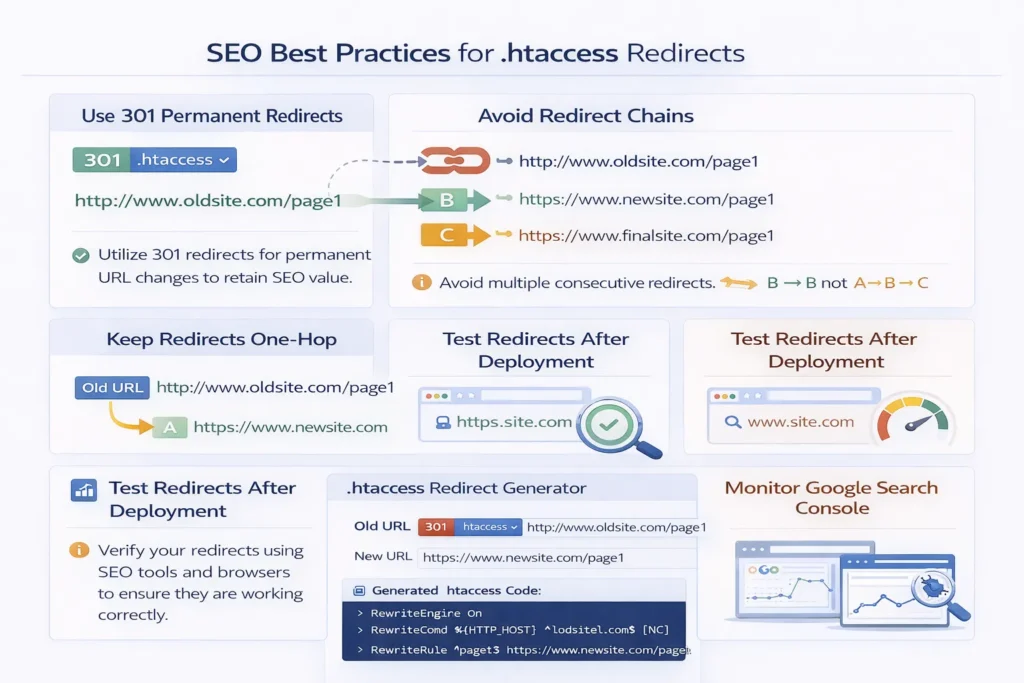
Always Use 301 for Permanent Changes
Avoid Redirect Chains
Keep Redirects One-Hop
Test Redirects After Deployment
Monitor Google Search Console
Htaccess Redirect Generator vs WordPress Redirect Plugins
| Feature | Htaccess Tool | Plugin |
|---|---|---|
| Server-level speed | ✅ Yes | ❌ No |
| SEO reliability | ✅ High | Medium |
| Error risk | Low | Medium |
| Performance impact | None | Adds load |
Winner: Htaccess Redirect Generator SEO Tool
Advanced SEO Use Cases
Ecommerce URL Changes
Blog Category Restructuring
International SEO Redirects
Domain Authority Preservation
Page Consolidation
Conclusion
An Htaccess Redirect Generator SEO Tool is not optional — it is essential for modern SEO.
It helps you:
- Prevent traffic loss
- Preserve rankings
- Fix technical SEO issues
- Improve site trust & security
If you want safe, scalable, and SEO-approved redirects, this tool is the smartest solution.
Faqs
What is an Htaccess Redirect Generator SEO Tool?
It is a tool that generates SEO-safe Apache redirect rules automatically.
Are htaccess redirects good for SEO?
Yes. They are fast, reliable, and Google-recommended.
Should I use 301 or 302 redirects?
Use 301 for permanent changes and SEO value transfer.
Can I redirect multiple URLs at once?
Yes, using bulk redirect generation.
Do redirects affect rankings?
Correct redirects protect rankings; wrong ones damage them.
Is HTTPS redirect required?
Yes. HTTPS is a confirmed Google ranking factor.
Where is the .htaccess file located?
In the website’s root directory on Apache servers.
Try it yourself
Htaccess Redirect Generator
audit any URL in seconds and get clear, prioritised fixes
Open the Htaccess Redirect GeneratorWritten by
Ali Raza
Founder & SEO Engineer
Ali Raza is a web developer and SEO engineer who has spent the last several years building search-optimised tools and websites. He founded Smart SEO Toolz to make professional-grade SEO and file utilities free, fast and private for everyone.
Related guides
The Complete SEO Toolkit Guide for Marketers Who Want Faster Rankings in 2026
Explore the complete free SEO toolkit guide for research, technical health, Core Web Vitals, and ranking optimization. Free, accurate, and no signup needed.
3 min read10 Best Free SEO Tools for Bloggers Who Want Faster Rankings in 2026
Discover 10 free SEO tools for bloggers to boost rankings with snippets, sitemaps, images, and security for stronger search visibility. No signup required.
3 min readHow Local Restaurants Use Free SEO Tools to Fill More Tables Every Week
Discover how local restaurants use free SEO tools to polish menus, QR codes, photos, and listings without expensive marketing agencies. No signup required.
2 min read